
Eero Pro 7 Tri-band Mesh Wi-Fi 7 Router Review ($430)
A Wi-Fi 7 mesh that blends style with simplicity, though not without its limitations.
By Gwyneth Goh -

Share this article
When I was asked to try out Amazon’s new eero Pro 7, I jumped at the chance. As someone who has spent too much time fussing with dead zones and patchy Wi-Fi, the prospect of testing a next-gen Wi-Fi 7 mesh system felt like a sneak peek into the future of home connectivity.
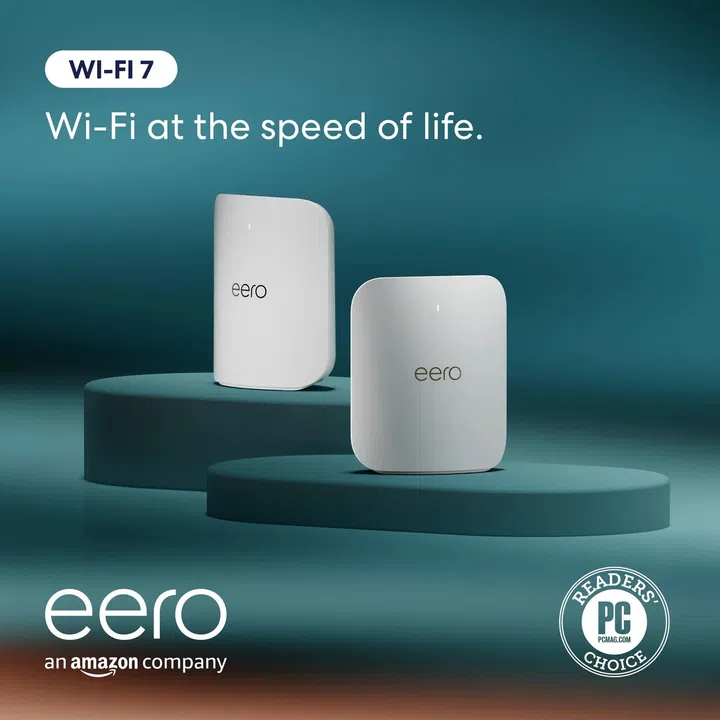
The eero Pro 7 sits just under eero’s flagship Max 7 and is the brand’s most advanced system to date It packs Wi-Fi 7 features like Multi-Link Operation, 320MHz channels on the 6GHz band, and each node also doubles as a smart-home hub for Matter, Thread, Zigbee, and Alexa.
In theory, it looks like a future-proof Wi-Fi 7 router that blends into your décor while keeping the household smart devices in check. But how does it fare in day-to-day life?
Design & Aesthetics
Eero has always favoured subtlety, and the eero Pro 7 continues that tradition. Upright, compact and finished in glossy white, it resembles a minimal sculpture more than networking hardware. At just over 18 cm, it perches neatly on a console or bookshelf, disappearing gracefully into its surroundings instead of adding visual clutter.
For design-minded homeowners, this is refreshing. Unlike the black, antenna-laden routers of old, the eero Pro 7 is meant to be seen—and yet not noticed.
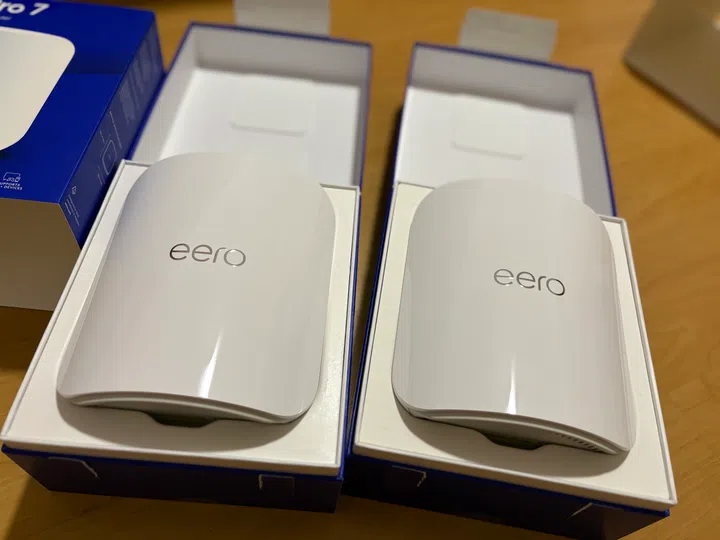
The eero Pro 7 pictured in my house.
Setup & Installation
Getting the eero Pro 7 online was a breeze. One unit was up and running in 15 minutes, and with a second added, the mesh was ready in half an hour.
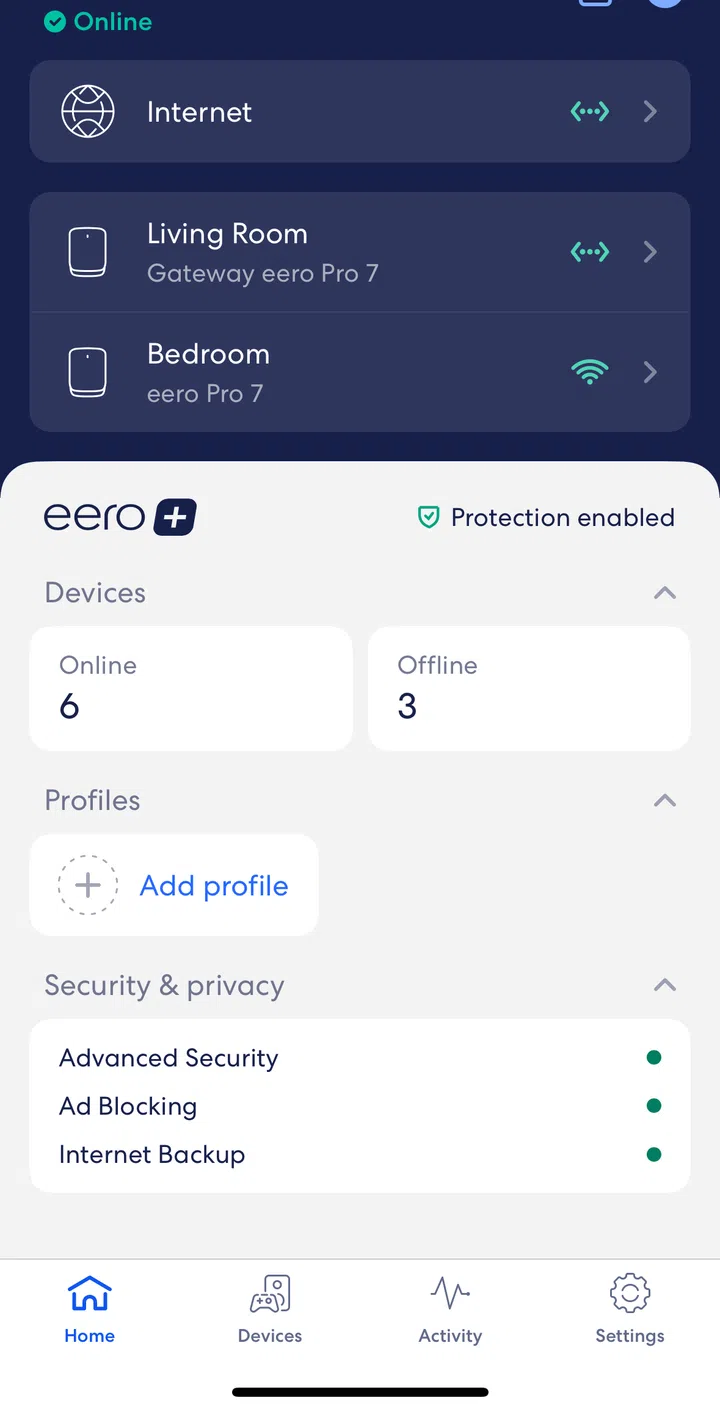
Screengrab of the Eero mobile app.
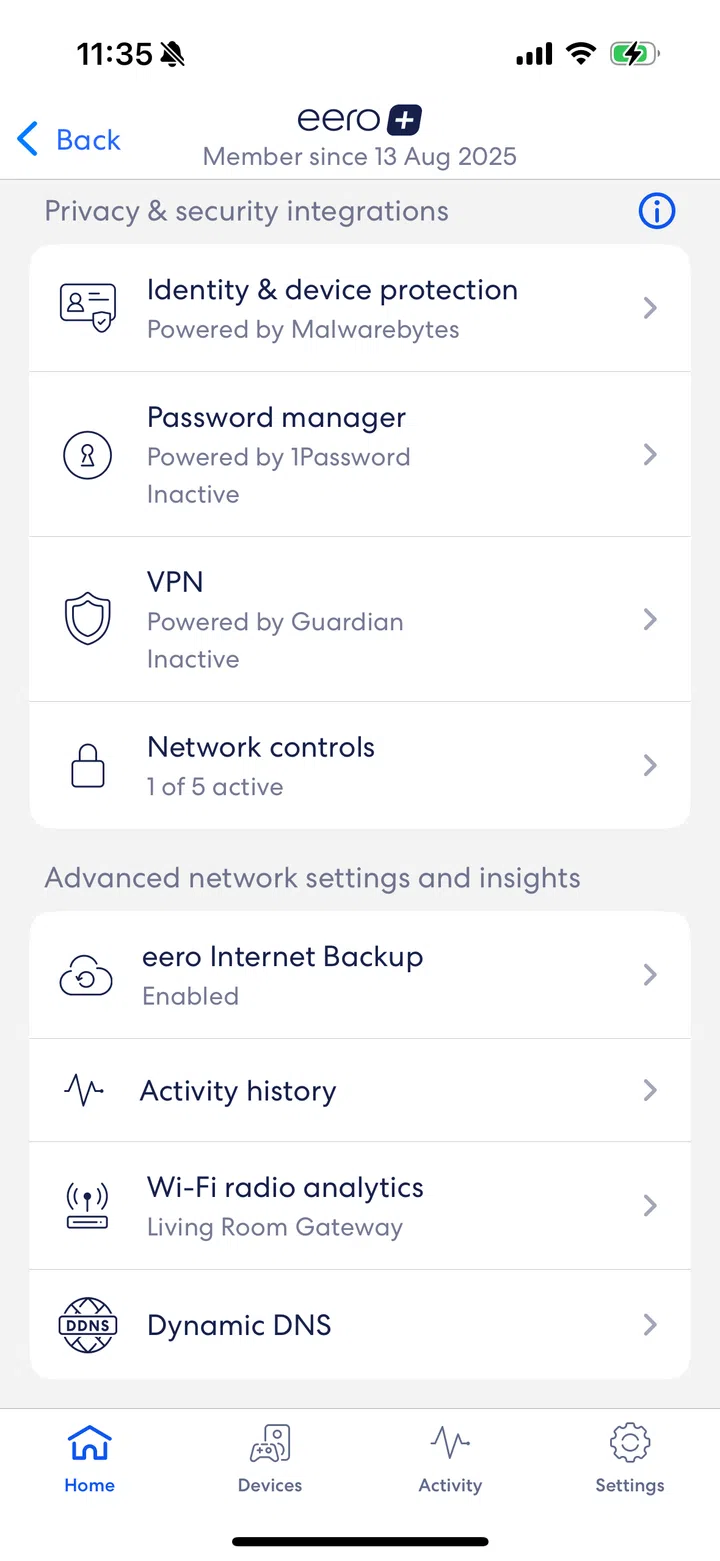
Screengrab of the Eero mobile app.
The eero app deserves all the credit here—it’s elegant, intuitive, and guides you step-by-step through installation, from scanning a QR code to naming your network. Firmware updates also happen quietly in the background, with none of the cryptic numbered URLs or admin login screens that most of us dread.
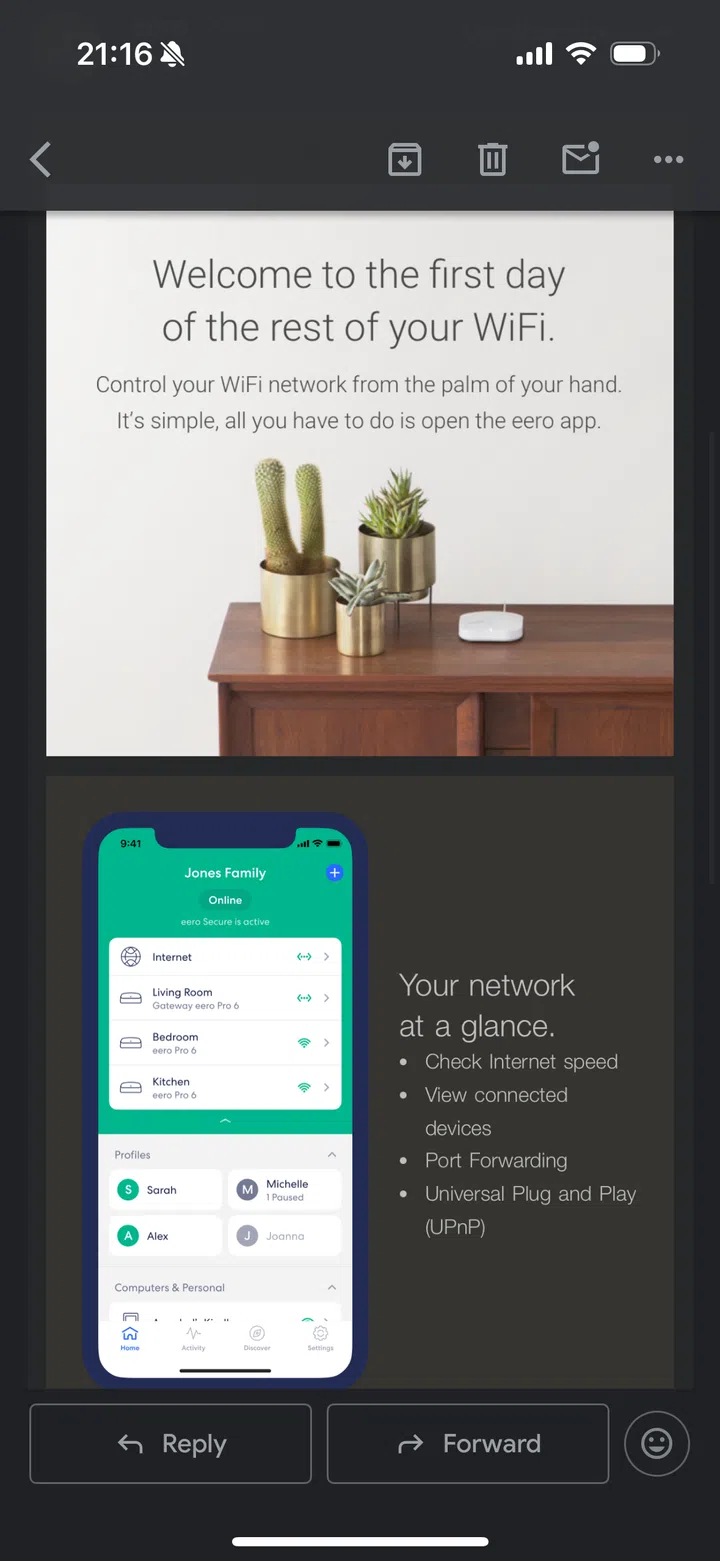
Screengrab of the dashboard on the Eero mobile app.
Usability & App Experience
For me, the app is arguably the star of eero’s ecosystem. Once everything is running, its dashboard presents a curated view of your home network. You can see every connected device, check usage stats, set up parental controls, create family profiles, pause access with a mere tap, or run a speed test if something feels slow.
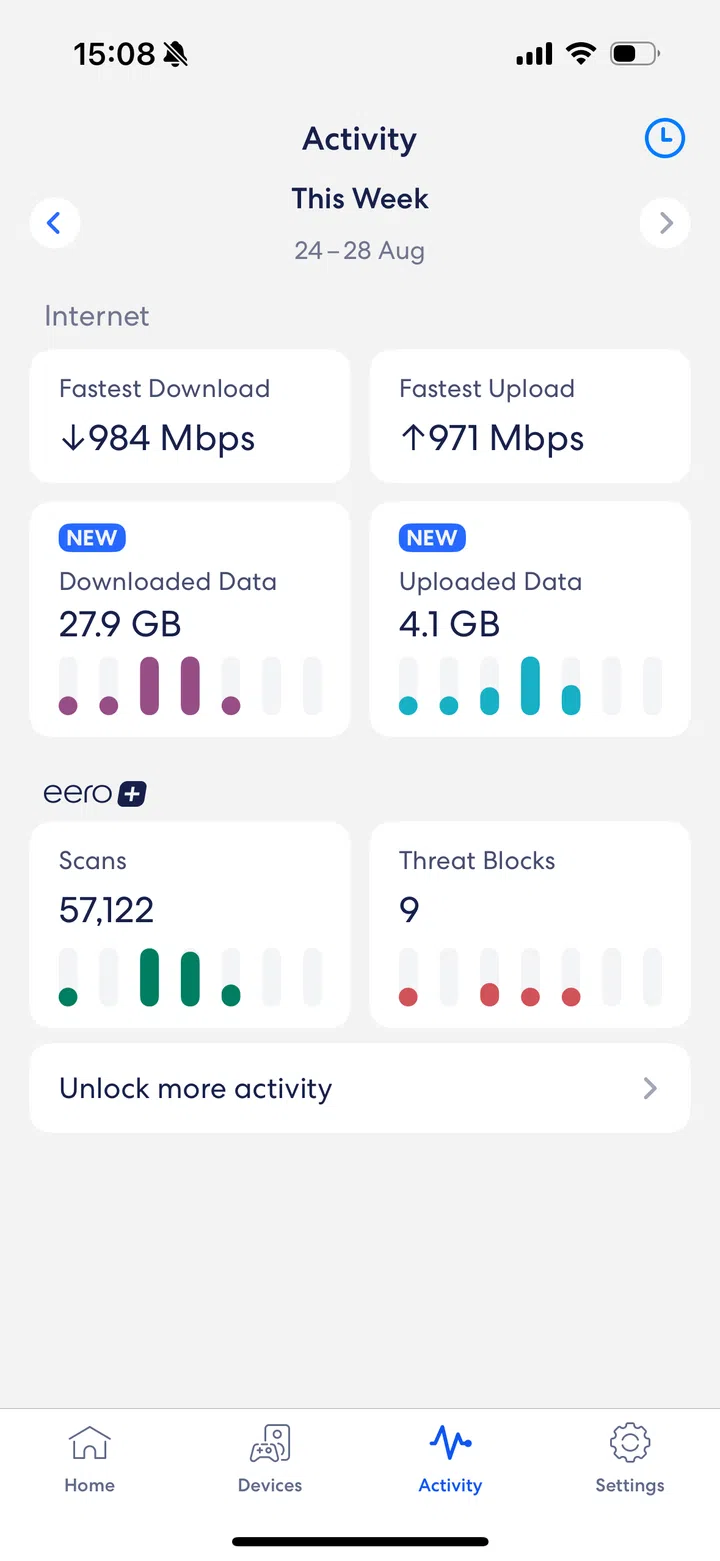
Screengrab of the dashboard on the Eero mobile app.
What’s impressive is how approachable it feels. Instead of looking like a dense router admin panel, this feels more like a thoughtfully designed smart-home app—functional, friendly, and polished. For homeowners who don’t want to wrestle with jargon, this alone makes the system stand out.
Coverage & Performance
On paper, the eero Pro 7 is a powerhouse. It’s a tri-band Wi-Fi 7 mesh system that supports 2.4, 5, and 6 GHz bands, and eero claims each eero Pro 7 node covers up to 2,000 sq ft and supports 200 devices. Theoretically, a double mesh configuration should have been more than enough for my 4-bedroom apartment (under 2,000 sq ft).
Also described as “built to support internet plans up to 5 Gbps”—like my StarHub UltraSpeed 5 Gbps plan—I was eager to see lightning-fast downloads, ideally somewhere close to 4 Gbps.
In practice, coverage was inconsistent. The main node in the living room and a second in my bedroom should have blanketed the space, but signal strength still failed to reach one of the rooms barely 30 ft away.
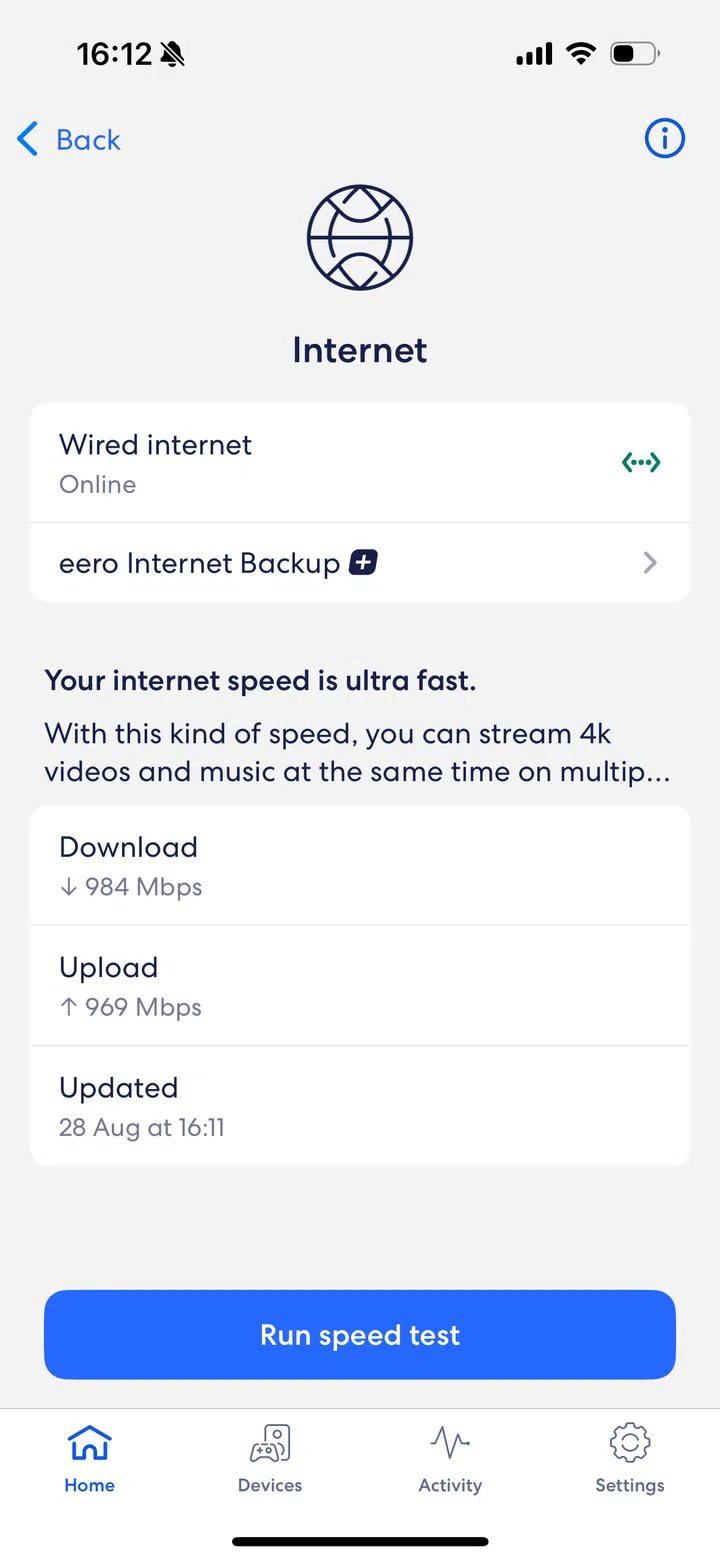
The Eero Pro 7 a tri-band Wi-Fi 7 mesh system that supports 2.4, 5, and 6 GHz bands.
At close range, the eero Pro 7 seems relatively fast. The eero app tells me it’s uploading and downloading at speeds close to 1 Gbps—ample for streaming, work calls, or multiple 4K TVs. An independent app however recorded download speeds well under 500 Mbps. That said, at close range, even with multiple devices online, browsing and video calls remained smooth.
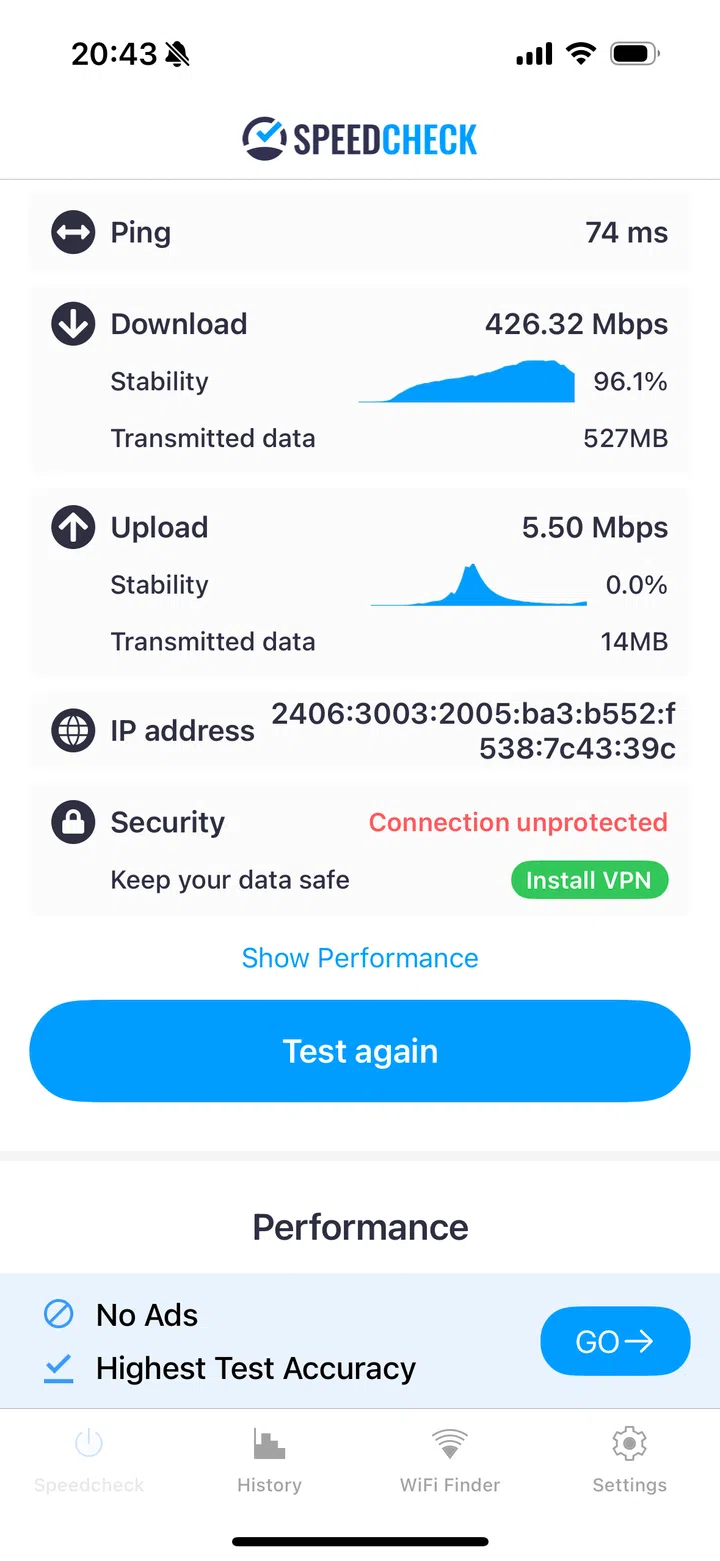
The eero app tells me it’s uploading and downloading at speeds close to 1 Gbps.
At 30 ft, speeds dropped to around 186 Mbps, falling further at 50 ft to just 49 Mbps.
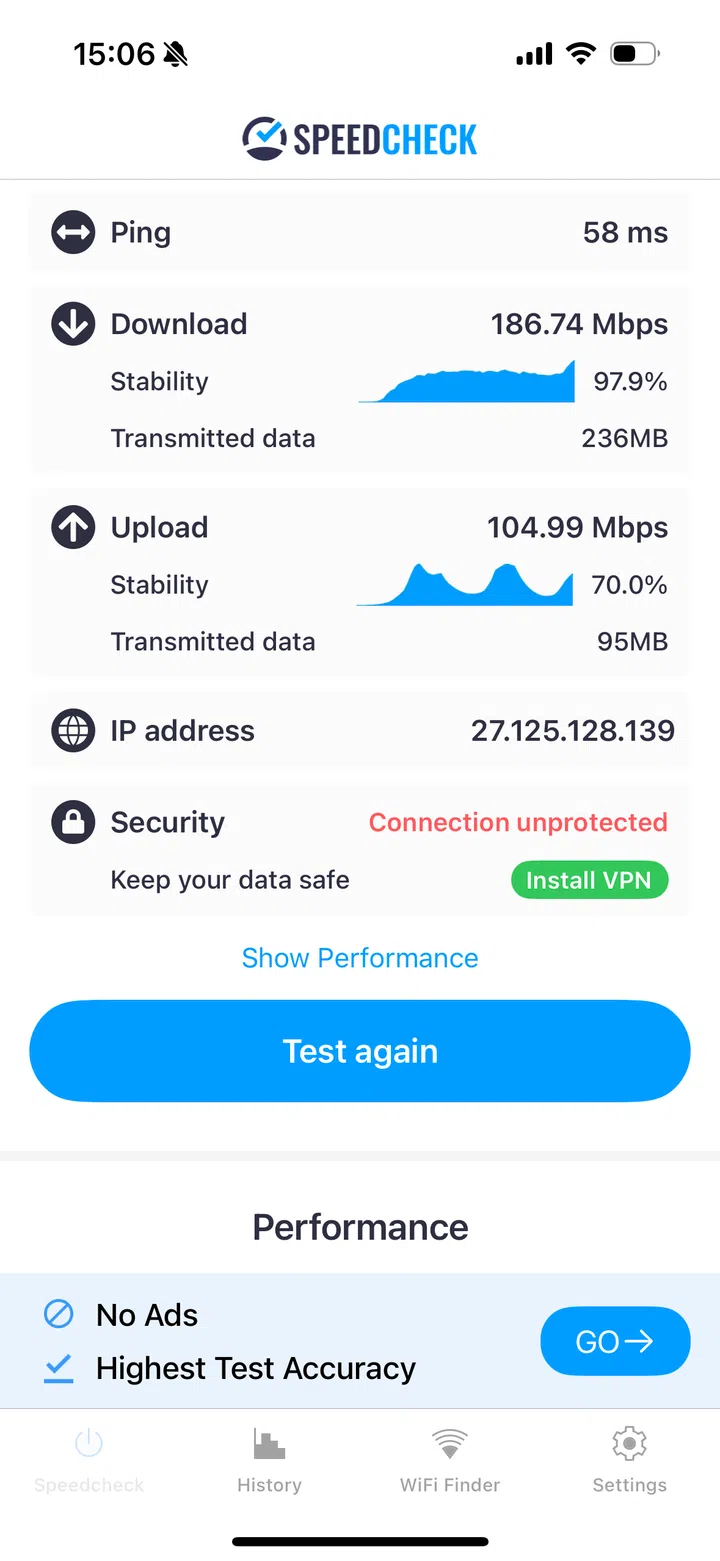
At 30 ft, Eero Pro 7 download speeds dropped to around 186 Mbps, falling further at 50 ft to just 49 Mbps.
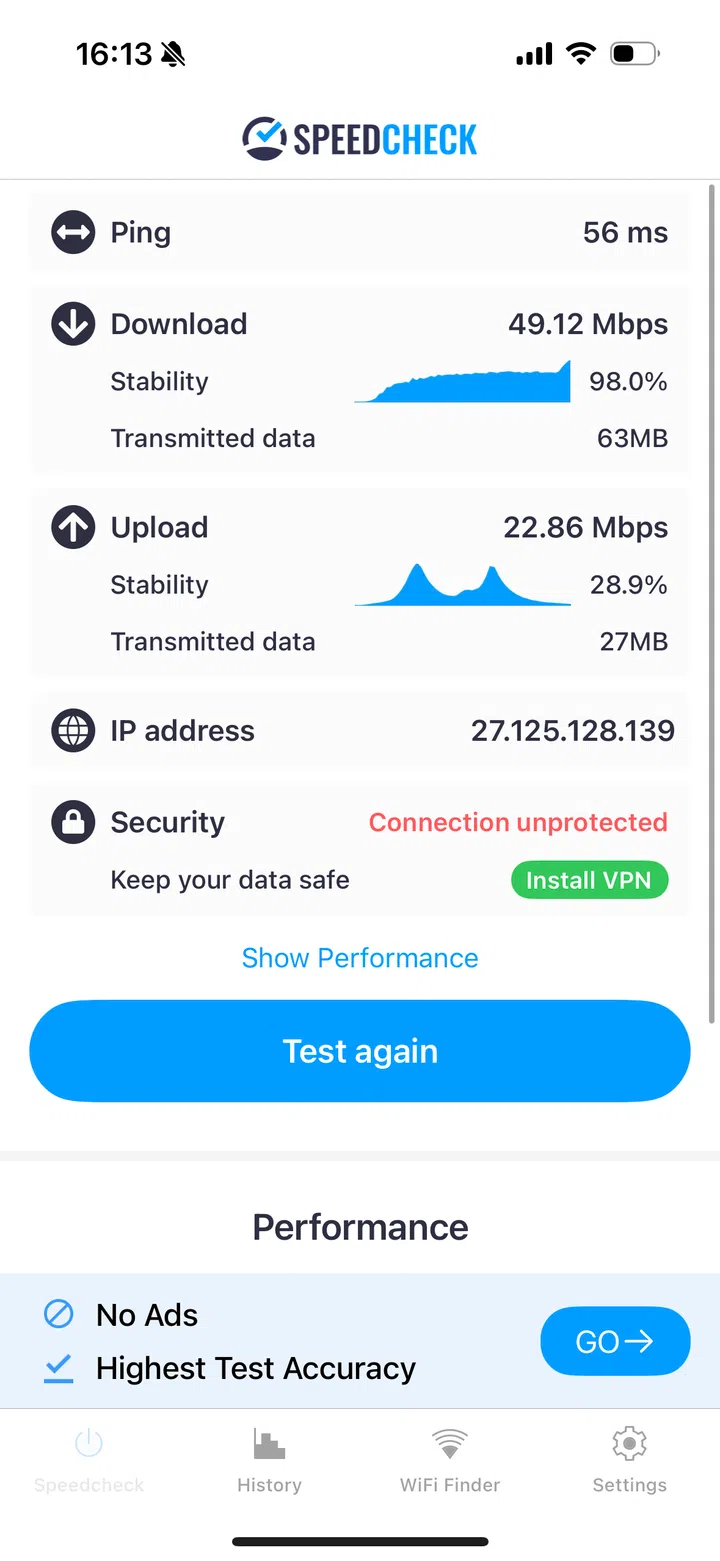
The 2.4 GHz band was weak on the Eero Pro 7.
The 2.4 GHz band was weaker still, with lab tests elsewhere reporting just 83 Mbps even at close range. Uploads also felt sluggish when handling large image files.
Stability & Reliability
In our household, the bigger frustration was reliability. My husband’s laptop dropped from the network several times a day—even while seated just a metre from the extender. Each time, it needed a manual reconnection. For anyone working from home, this could be a dealbreaker.
eero’s TrueMesh and TrueRoam are meant to deliver seamless handoffs between nodes, but in our household, they didn’t always hold up.
Features & Future-Proofing
Where the eero Pro 7 shines is in future-readiness. Each node doubles as a smart-home hub with Matter, Thread, Zigbee, and Alexa support, reducing the clutter of extra hubs.
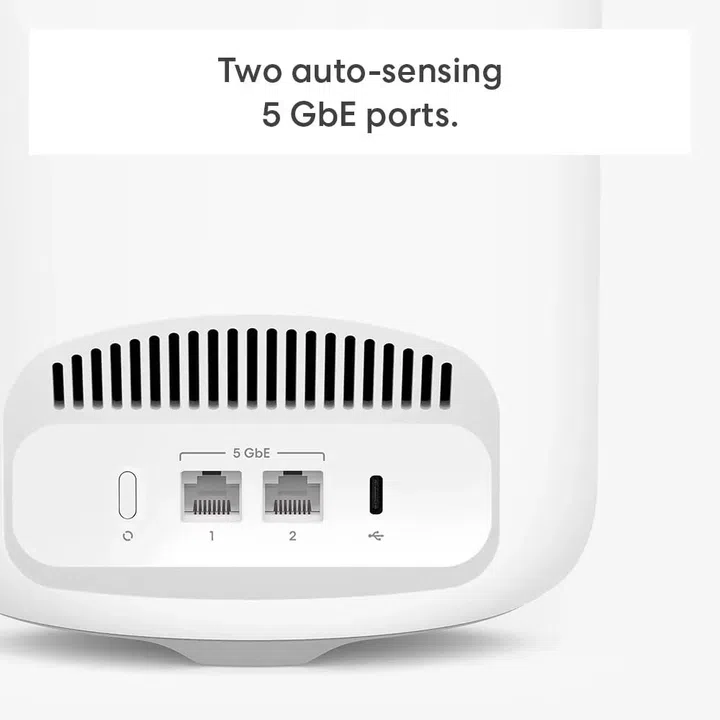
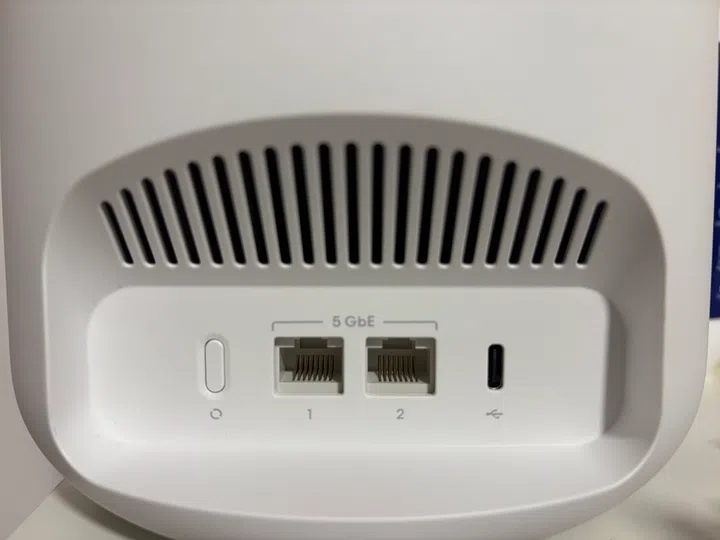
Two auto-sensing 5 Gbps Ethernet ports per unit allow for fast wired connections—although power gamers or office setups may find this port count limiting, it’s probably more than sufficient for most households.
Eero Pro 7 Verdict
The eero Pro 7 embodies eero’s philosophy of tech that slips quietly into the background. It’s beautifully simple to set up, easy to live with, and styled to blend into your home. The app is one of the most user-friendly on the market, and its near-range performance is solid.
Yet it is not flawless. Long-range coverage is weaker than rivals, and repeated device dropouts dent the promise of seamless mesh networking.
Still, for design-minded homeowners who value elegance and ease of use, the eero Pro 7 remains a strong contender for the “Best WiFi in Singapore” category. For larger households or heavy work-from-home users, its limitations may weigh heavier.
Pros
- Minimalist design blends seamlessly into interiors
- Quick, intuitive setup
- Good near-range speeds
- User-friendly, well-designed app
- Smart-home hub built-in (Matter, Thread, Zigbee, Alexa)
- Future-proof with full Wi-Fi 7 support
Cons
- Long-range coverage weaker than competitors
- 2.4 GHz performance underwhelming
- Only two Ethernet ports per unit
- Occasional device dropouts in real-world use
The eero Pro 7 Tri-band Mesh WiFi 7 5G Router is priced from $429.99 at the eero Store Singapore.